
Table of Contents
- Why U.S. Contractors Are Ditching Procore in 2026
- How We Evaluated These Procore Alternatives
- The 7 Best Procore Alternatives for U.S. Contractors in 2026 (At a Glance)
- Tool-by-Tool Breakdown: Top Procore Alternatives Reviewed
- True Cost of Ownership: Procore vs. the Alternatives Over 3 Years
- U.S.-Specific Compliance Considerations No One Else Talks About
- Real-World Switch Stories: Contractors Who Left Procore
- How to Choose the Right Procore Alternative for Your Business
- Frequently Asked Questions
- Conclusion: The Right Construction Software Fits Your Business, Not the Other Way Around
If you’re searching for Procore alternatives for contractors, you already know the problem. The platform is powerful, no question. But powerful and right-sized are not the same thing. For U.S. contractors running under $20M in annual revenue, Procore often lands as too expensive, too complex, and too bloated with features that never get touched. This guide cuts through the noise. It gives you a candid breakdown of seven alternatives, a realistic look at total cost of ownership, and a decision framework built for how contractors actually work.
Why U.S. Contractors Are Ditching Procore in 2026
Procore’s Pricing Model and What It Actually Costs Small Contractors
Procore does not publish its pricing publicly. That alone tells you something. When a vendor forces you into a discovery call before revealing cost, expect the number to sting. For small and mid-size U.S. contractors, Procore typically runs between $375 and $1,200 per month depending on modules, project volume, and contract negotiation. Annual commitments are standard. Volume discounts require negotiating power most small contractors don’t have.
The base fee is not the full picture. Add implementation services, which Procore partners charge separately. Add training costs: onboarding a crew of ten field users realistically takes 20 to 40 hours of paid time. Add integration fees for connecting your accounting system, whether that’s QuickBooks, Sage, or Viewpoint. The sticker price is one number. The real number is often 40 to 60 percent higher in year one.
For a $6M residential GC in Georgia, that math is brutal. Not X. It is Y: Procore isn’t a software cost. It’s a capital investment that most small contractors haven’t budgeted for.
The Features U.S. Contractors Pay for but Rarely Use
Procore’s feature list reads like an enterprise wish list: BIM coordination, advanced analytics, resource management, submittals, RFIs, inspections, and more. The catch: most contractors on the platform use fewer than a third of available features consistently. A 2024 survey of construction software users found that the top three features used daily were document management, daily logs, and change orders. Everything else collected digital dust.
Rather than paying for depth across twenty modules, most contractors need depth in three or four. Paying for the full suite to use a fraction of it isn’t value. It’s overhead disguised as software.
Who Procore Is Built For: And Who It Isn’t
Procore makes sense for commercial GCs running $50M-plus in annual contract volume, with dedicated project engineers, a full admin staff, and IT support. That’s the buyer the platform is optimized for. It’s not built for the specialty sub managing six concurrent jobs from a truck, or the residential remodeler whose admin is also the bookkeeper and receptionist.
Not a flaw. A mismatch. Know the difference before you sign an annual contract.
How We Evaluated These Procore Alternatives
Evaluation Criteria: Pricing, U.S. Compliance, Ease of Onboarding, and Feature Fit
This evaluation used four criteria: transparent pricing, U.S. regulatory compliance features (lien waivers, certified payroll, Davis-Bacon), time-to-value during onboarding, and fit for the job types U.S. contractors actually run. Platforms were assessed based on publicly available pricing, product documentation, and direct contractor feedback. No vendor paid for placement in this guide.
Who This Guide Is Written For (General Contractors Under $20M Annual Revenue)
This guide is written for U.S. general contractors and subcontractors running annual revenue between $1M and $20M. You’re past spreadsheets. You’re not yet a construction enterprise. You need software that fits your operation now, not the operation you might have in ten years. Every recommendation reflects that reality.
A Note on Total Cost of Ownership vs. Sticker Price
Every platform looks affordable until you calculate what it actually costs to run over 36 months. Sticker price is the subscription fee. Total cost of ownership (TCO) includes implementation, training, integrations, support, and the productivity loss during the switch. Throughout this guide, we surface those hidden numbers. Read the TCO section before you make any final decision.
The 7 Best Procore Alternatives for U.S. Contractors in 2026 (At a Glance)
Quick-Comparison Table: Features, Pricing, and Best-Fit Contractor Type
| Platform | Starting Price/mo | Best For | U.S. Compliance | Change Order Tools |
|---|---|---|---|---|
| Buildertrend | $199 | Residential remodeling | Partial | Standard |
| Fieldwire | $54/user | Field teams, subs | Limited | Basic |
| CoConstruct | $199 | Custom home builders | Partial | Standard |
| Sinq | Transparent/lean | Change order control | Strong | Purpose-built |
| Contractor Foreman | $49 | Budget-conscious GCs | Moderate | Standard |
| Houzz Pro | $85 | Design-build, small residential | Limited | Basic |
| Jonas Premier | Custom quote | Mid-size commercial | Strong | Advanced |
How to Read This Table for Your Business Size and Trade Type
Price per month is not the deciding factor. Match the “Best For” column to your core trade and project type first. Then check the change order tools column. For most U.S. contractors, change order management is where margin lives or dies. A platform with weak change order capabilities will cost you more in lost revenue than any subscription fee ever could.
Tool-by-Tool Breakdown: Top Procore Alternatives Reviewed
Buildertrend: Best for Residential and Remodeling Contractors
Buildertrend is purpose-built for residential construction. It covers scheduling, client communication, budgeting, and selections in one place. The interface is clean. Onboarding is faster than Procore. For a remodeler running 15 to 30 jobs per year, it hits the right notes.
The limitation: change order workflows are adequate but not deep. Tracking approval chains, linking scope changes to contract value, and generating defensible documentation for disputes requires workarounds. If change orders are your biggest margin leak, Buildertrend is not the final answer.
Pricing starts at $199 per month with a steep jump to higher tiers for advanced features. Not cheap for a small remodeler, but far below Procore’s real-world cost.
Fieldwire: Best for Field Teams and Subcontractors
Fieldwire is a field-first platform. Plans, tasks, punch lists, and inspections: it handles the site workflow better than most. For subcontractors who need their crews connected to current drawings without a full PM suite, Fieldwire earns its place.
The gap is obvious: Fieldwire is not a business management platform. Change orders, billing, lien tracking, and compliance documentation sit outside its core. Rather than trying to run your whole operation through Fieldwire, treat it as a field execution layer and pair it with a financial management tool.
Construct: Best for Custom Home Builders
CoConstruct (now part of Buildertrend) targets custom home builders specifically. The client-facing communication tools are strong. Allowance tracking and selection management fit the custom build workflow well. If your business is $1M to $8M in custom residential, CoConstruct is worth serious consideration.
The challenge for custom builders: scope changes are constant, and CoConstruct’s change order module handles straightforward changes well but struggles with multi-party, multi-trade scope additions that require documented approval trails. Keep that in mind if your clients are litigation-prone.
Sinq: Best for U.S. Contractors Who Need Lean, Affordable Change Order Control
Sinq is built around a single premise: change orders and variations are where U.S. contractors lose money, and most software treats them as an afterthought. Rather than building another bloated project management suite, Sinq goes deep where it counts. The platform gives contractors a structured, trackable, defensible workflow for every scope change from the moment it’s identified through approval, billing, and close-out.
The pricing is transparent. No custom quote calls. No enterprise tiers designed to obscure cost. You know what you pay before you sign anything. That alone separates Sinq from Procore and Jonas Premier. For a U.S. GC managing $3M to $15M in annual volume, the math is direct: if Sinq helps you capture one additional change order per project that you would have otherwise absorbed, the platform pays for itself. Multiply that across twelve projects. The number is not small.
Read the change order software playbook for U.S. general contractors to understand exactly why purpose-built tools outperform project management suites when margin is on the line. Want to see how Sinq stacks against the residential-focused platforms? See how Sinq compares to Buildertrend and PlanRadar in a head-to-head built for U.S. subcontractors.
Ready to stop losing margin on change orders? See Sinq pricing, and stop bleeding margin into spreadsheets before your next project kicks off.
Contractor Foreman: Best Budget-Conscious Procore Alternative
Contractor Foreman starts at $49 per month and covers a wide feature set: estimates, change orders, scheduling, time tracking, and safety logs. For a small GC watching every dollar, it’s a serious option. The interface is not elegant, but it works.
The trade-off is depth. Contractor Foreman does many things adequately rather than any one thing exceptionally. If your primary pain is change order leakage, you’ll hit its limits quickly. If you need an all-in-one platform at the lowest possible price point, it earns its spot.
Houzz Pro: Best for Design-Build and Smaller Residential Firms
Houzz Pro blends a consumer marketplace with project management tools. For design-build contractors who rely on Houzz for lead generation, the Pro tier bundles those leads with proposal creation, project management, and client communication. The integration is convenient. The platform is not construction-heavy.
Avoid Houzz Pro if your primary need is subcontractor coordination, compliance tracking, or change order management. It’s designed for the aesthetic end of residential work. Not a criticism: a targeting decision. Know what you’re buying.
Jonas Premier: Best for Mid-Size Commercial Contractors Needing Accounting Integration
Jonas Premier targets mid-size commercial contractors in the $10M to $100M range. The accounting integration is native, not bolted on. Job costing, certified payroll, and subcontractor management are built into a single system rather than stitched together through APIs.
The barrier: cost and implementation. Jonas Premier is not a small-contractor tool. Implementation typically runs four to six months. Pricing requires a custom quote. For a contractor under $10M, it’s almost certainly overkill. For a commercial GC between $15M and $50M who has outgrown QuickBooks and patchwork software, Jonas starts to make sense.
True Cost of Ownership: Procore vs. the Alternatives Over 3 Years
Subscription Fees Side by Side
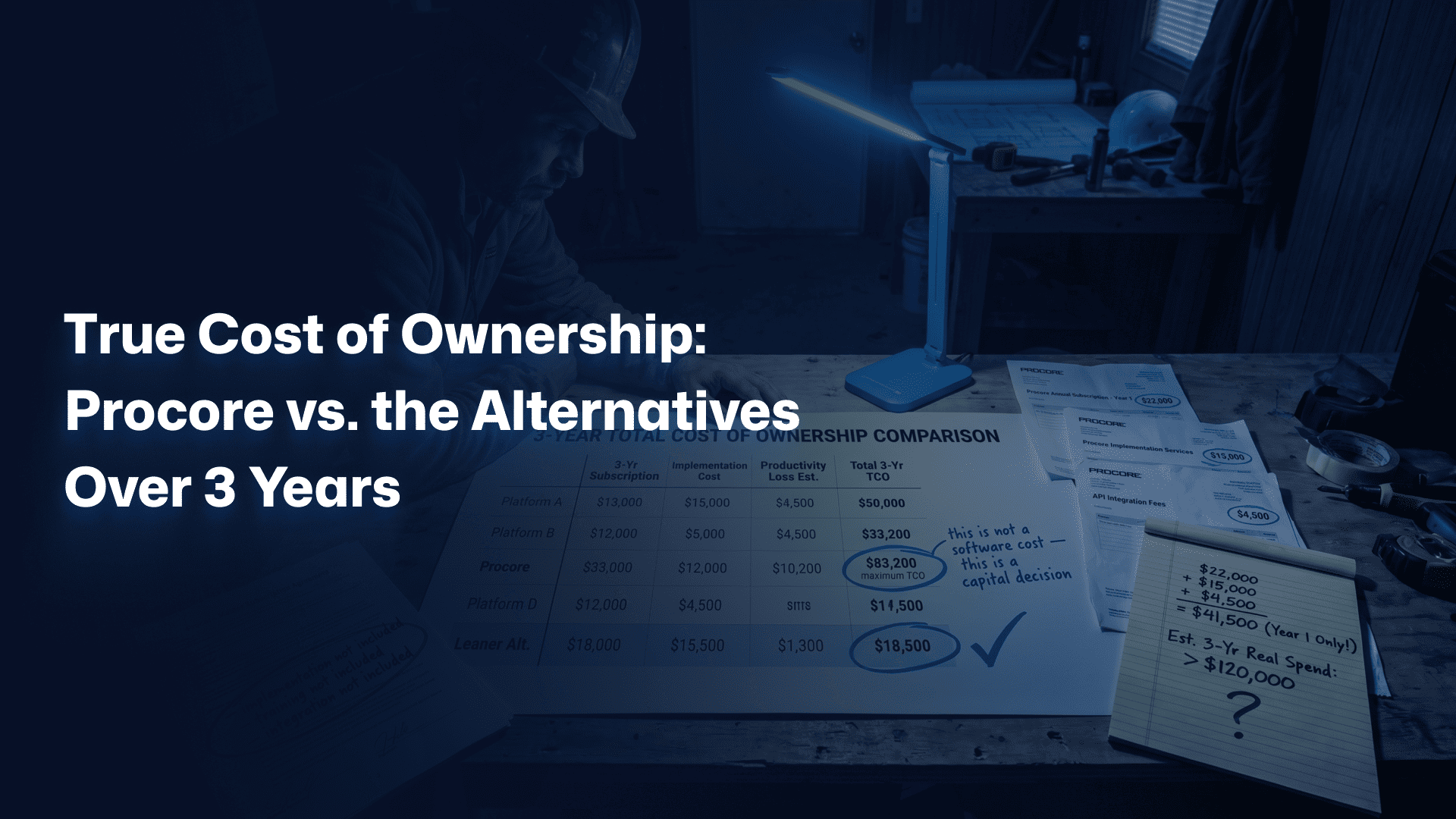
Procore’s annual contract for a small contractor typically runs $4,500 to $14,400 per year. Over three years, that’s $13,500 to $43,200 in subscription fees alone. Compare that to Contractor Foreman at $49 per month ($1,764 over three years), Sinq at transparent lean pricing, or Fieldwire at $54 per user per month for a team of five ($9,720 over three years). The subscription gap is real. But it’s only part of the story.
Hidden Costs: Implementation, Training, and Integration Fees
Procore implementations through certified partners typically run $3,000 to $15,000 depending on scope. Training adds cost. API integrations for accounting systems cost $1,500 to $5,000 per connection. Simpler platforms save significantly here. Buildertrend, Sinq, and Contractor Foreman are designed for self-onboarding. That distinction matters when you’re calculating true spend.
Productivity Loss During Onboarding: What Contractors Rarely Calculate
Here’s what almost no one accounts for: the productivity dip during platform transitions. A field team learning new software makes mistakes, skips steps, and reverts to old habits. Industry data suggests a 15 to 25 percent dip in administrative productivity for six to twelve weeks during a major software transition. For a company with three PMs billing $85 per hour, that’s a $10,000 to $25,000 invisible cost. Platforms with steep learning curves compound this. Platforms with intuitive onboarding shrink it.
3-Year TCO Comparison Table
| Platform | 3-Yr Subscription | Implementation Est. | Productivity Loss Est. | 3-Yr TCO Est. |
|---|---|---|---|---|
| Procore (small GC) | $13,500 to $43,200 | $5,000 to $15,000 | $15,000 to $25,000 | $33,500 to $83,200 |
| Buildertrend | $7,164 | $500 to $2,000 | $5,000 to $10,000 | $12,664 to $19,164 |
| Sinq | Transparent/lean | Minimal | Low (intuitive UX) | Significantly lower |
| Contractor Foreman | $1,764 | $0 to $500 | $3,000 to $8,000 | $4,764 to $10,264 |
| Jonas Premier | Custom (high) | $10,000 to $30,000 | $20,000 to $40,000 | $50,000+ for most |
U.S.-Specific Compliance Considerations No One Else Talks About
State Lien Law Tracking and Documentation Requirements
U.S. lien law is a patchwork. Prelim notice deadlines in California are different from Texas, which differ from New York. Missing a preliminary notice deadline costs you your lien rights. Losing lien rights on a $200,000 job is not a paperwork inconvenience: it’s $200,000 at risk. Your construction software needs to support documentation that protects those rights: notice logs, lien waiver tracking, and clear audit trails tied to individual project phases and payment events.
Davis-Bacon Act Compliance and Certified Payroll Reporting
If your company works federal contracts or federally funded projects, Davis-Bacon applies. That means certified payroll reporting, prevailing wage tracking by trade classification, and documentation that survives a Department of Labor audit. Most residential-focused platforms do not touch this. Procore handles it partially. Jonas Premier handles it well. Sinq’s change order workflows support the documentation side of Davis-Bacon compliance by creating clear, timestamped records of scope and pricing changes on federally funded work.
Multi-State Operations: What Your Software Must Handle
A GC licensed in Texas, Louisiana, and Oklahoma faces three different lien law regimes, three sets of contractor licensing requirements, and potentially different prevailing wage rules depending on the funding source of each project. Software that doesn’t account for state-level variation will create compliance gaps. Ask every vendor you evaluate: how does your platform handle multi-state lien law documentation? If they can’t answer specifically, keep walking.
Which Alternatives Have Built-In U.S. Compliance Features
Of the seven platforms in this guide, Jonas Premier and Sinq offer the strongest U.S. compliance infrastructure. Jonas Premier covers certified payroll and prevailing wage natively. Sinq’s strength is in change order documentation: the audit trail it generates satisfies lien law documentation requirements and creates the paper record you need if a change order dispute escalates to litigation or arbitration. Buildertrend and CoConstruct handle basic lien waiver tracking. Fieldwire, Houzz Pro, and Contractor Foreman offer limited compliance support at best.
Don’t let compliance gaps cost you lien rights. See the true cost of tracking change orders in Excel and understand why documentation discipline is a revenue protection strategy.
Real-World Switch Stories: Contractors Who Left Procore
Small GC in Texas: Switching from Procore to a Leaner Platform Mid-Project
A Dallas-based GC running $8M annually in commercial tenant improvement work had been on Procore for 14 months. Their PM team used the RFI module, daily logs, and change orders. They were paying $780 per month and had never activated the BIM, resource management, or quality control modules. When their Procore contract renewed, they ran the math: $9,360 per year for three active features. They switched to a leaner platform mid-year, during an active project. The transition took three weeks. Their monthly software cost dropped by 60 percent. The change order workflow they moved to gave them better approval chain documentation than Procore had provided, which paid off when a scope dispute escalated with their GC’s owner six months later. The documented trail resolved the dispute in their favor without litigation.
Specialty Subcontractor in Ohio: Cutting Software Costs Without Losing Functionality
A mechanical subcontractor in Columbus, Ohio was using Procore at the GC’s request on a $4.2M hospital renovation. When that project closed, the sub evaluated whether to keep Procore for their own internal use. Annual subscription cost: $6,200. Features used independently: change orders, submittals, and document storage. They moved to Sinq for change order management and a separate document storage solution. Combined monthly cost: under $150. They retained every piece of functionality they actually used. The remaining $5,000 per year went directly back to margin.
What These Switches Had in Common: And What Made Them Succeed
Both switches succeeded because the contractors started with clarity: they listed the features they actually used before evaluating alternatives. Not X. It is Y: the barrier to switching is not technical complexity. It’s the fear of losing something you may not be using in the first place. Audit your actual usage before your next renewal. The numbers are almost always more revealing than expected.
How to Choose the Right Procore Alternative for Your Business
Decision Framework by Contractor Size and Annual Revenue
Under $3M annual revenue: start with Contractor Foreman or Sinq. Keep overhead lean. Invest in tools that directly protect margin rather than tools that impress clients. Between $3M and $10M: Buildertrend, CoConstruct, or Sinq depending on trade type. Residential builders should lean toward Buildertrend or CoConstruct. Any contractor where change orders are a major revenue driver should prioritize Sinq. Between $10M and $20M: evaluate Jonas Premier if accounting integration is the priority need, or stay with a leaner platform and add purpose-built tools for specific workflows.
Decision Framework by Trade Type (General, Specialty, Residential, Commercial)
Residential GCs: Buildertrend or CoConstruct, with Sinq added for change order discipline. Specialty subs: Fieldwire for field execution, Sinq for change order and variation management. Commercial GCs under $15M: Sinq or Contractor Foreman as core platform. Commercial GCs $15M to $50M: Jonas Premier if accounting complexity demands it, otherwise a mid-tier PM platform with Sinq for change order control. Rather than buying one platform and hoping it covers everything, build a focused stack that does each thing well.
Questions to Ask Vendors Before You Sign
- What is the total cost including implementation, training, and integrations for year one?
- How does your platform handle state-specific lien documentation?
- What does a change order approval workflow look like from identification through invoice?
- What accounting systems do you integrate with natively, and what does that integration cost?
- What is the average time for a new user to complete their first independent workflow?
- What are the contract termination terms if we need to exit early?
Red Flags to Watch for in Construction Software Contracts
Watch for: auto-renewal clauses with short cancellation windows (30 days or less), pricing tiers that hide module costs until after you’ve signed the master agreement, and integration fees buried in an “addendum” rather than the main contract. Also watch for implementation timelines quoted in weeks that contractors report take months. Ask for customer references from contractors your size and trade type specifically. Not X. It is Y: a smooth demo is not evidence of a smooth implementation. References from operating users are.
Frequently Asked Questions
What Are the Best Alternatives to Procore for U.S. Contractors?
The best Procore alternatives for U.S. contractors in 2026 are Sinq, Buildertrend, Fieldwire, Contractor Foreman, CoConstruct, Houzz Pro, and Jonas Premier. The right choice depends on your trade type and budget. Each platform targets a different contractor profile. Sinq is the strongest option for contractors where change order management is the primary margin risk. Buildertrend and CoConstruct serve residential builders well. Fieldwire works best as a field execution layer for subs. Contractor Foreman is the lowest-cost all-in-one option. Jonas Premier suits mid-size commercial GCs who need native accounting integration. The right choice connects directly to what you actually need, not what a software demo makes look compelling.
What Construction Software Is Cheaper Than Procore?
Every platform on this list is cheaper than Procore for small and mid-size U.S. contractors. Contractor Foreman starts at $49 per month, Houzz Pro at $85, Sinq at transparent lean pricing, and Buildertrend at $199. Procore’s real-world cost for a small contractor runs $375 to $1,200 per month before implementation and integration. That puts it at three to twenty times the monthly cost of most alternatives. The gap only widens when you factor year-one implementation fees. Rather than comparing subscription prices in isolation, calculate what each platform costs fully loaded over 36 months. The total cost of ownership gap between Procore and the alternatives is where the real saving lives.
How Does Procore Compare to Other Construction Management Software in 2026?
Procore remains the most feature-complete platform, but no other construction management software combines higher cost with a larger gap between features offered and features actually used by small contractors. For large commercial GCs running $50M-plus in annual volume with dedicated project engineering staff, Procore earns its price. For contractors under $20M, the comparison shifts. Procore alternatives for contractors in this range typically deliver 80 percent of the needed functionality at 30 to 50 percent of the cost. The difference is not feature count: it’s whether those features match your actual workflow. In 2026, the alternatives have narrowed the functionality gap significantly while maintaining the price advantage.
Can Small Contractors Use Procore Alternatives Without a Large IT Team?
Yes. Most Procore alternatives reviewed here are designed for self-onboarding with no dedicated IT support required. Sinq, Buildertrend, Contractor Foreman, and Houzz Pro are all viable for contractors with no in-house technical staff. Procore’s implementation typically requires either an internal champion with significant time to invest or a paid implementation partner. The alternatives covered here are built with a different assumption: that the person setting up the software is the same person running the business. Fieldwire and Sinq in particular are designed for rapid onboarding. A single project manager can be fully operational in hours, not weeks. That matters when you’re transitioning between platforms mid-project.
Do Any Procore Alternatives Handle U.S. Compliance and Lien Tracking?
Yes. Jonas Premier handles certified payroll and prevailing wage natively. Sinq provides structured change order documentation that supports lien law compliance. Buildertrend and CoConstruct offer basic lien waiver tracking. U.S. compliance in construction software covers lien documentation, certified payroll for federally funded work, and state-specific notice requirements. No single alternative covers every compliance need perfectly. The smart approach: identify your top two compliance risks (lien rights and prevailing wage are the most common) and evaluate platforms specifically on those two dimensions. Don’t assume compliance coverage. Confirm it with specific questions before you sign.
Conclusion: The Right Construction Software Fits Your Business, Not the Other Way Around
Procore alternatives for contractors in 2026 are better than they’ve ever been. The platforms in this guide have closed the feature gap while keeping costs accessible for contractors who don’t have enterprise budgets. The decision is not about which platform has the longest feature list. It’s about which tool fits your trade, your team, and the workflows where you actually lose money.
For most U.S. contractors under $20M, that means one thing above everything else: change order control. That’s where margin erodes. Not in scheduling. Not in document storage. In scope changes that go untracked, unbilled, or undocumented until it’s too late to recover them. A platform that solves that specific problem is worth more than a suite that solves fifteen problems you don’t have.
Sinq is built for exactly that: the contractor who knows that every unmanaged change order is margin walking out the door. Rather than wrapping change order management inside forty other features you’ll never use, Sinq makes it the center of the product. The result is faster adoption, better documentation, and change orders that actually get approved and billed rather than absorbed.
If you’re evaluating Procore alternatives for contractors and want to start with the financial reality rather than the sales pitch, read the change order software playbook for U.S. general contractors. Then make the decision with clear numbers in front of you.
The right tool doesn’t just save cost. It recovers revenue. See Sinq pricing, and stop bleeding margin into spreadsheets before your next project starts.
Stop paying enterprise prices for spreadsheet-level results.