
A construction tech stack for a small business works best when you build it in order. This guide shows what the stack includes, where to start based on where you lose money, what a starter setup costs in 2026, and the commercial control layer most contractors skip.
Table of Contents
- Why One App Will Never Run Your Whole Business
- What a Construction Tech Stack Actually Includes
- Where to Start: Follow the Money, Not the Hype
- The Five Layers Every Small Contractor’s Stack Needs
- What a Starter Stack Really Costs in 2026
- The Layer Most Contractors Skip: Commercial and Variation Control
- Why Disconnected Tools Quietly Drain Your Profit
- Why Most Construction Software Fails: Adoption, Not Features
- Frequently Asked Questions
- Your Construction Tech Stack: Where to Start This Week
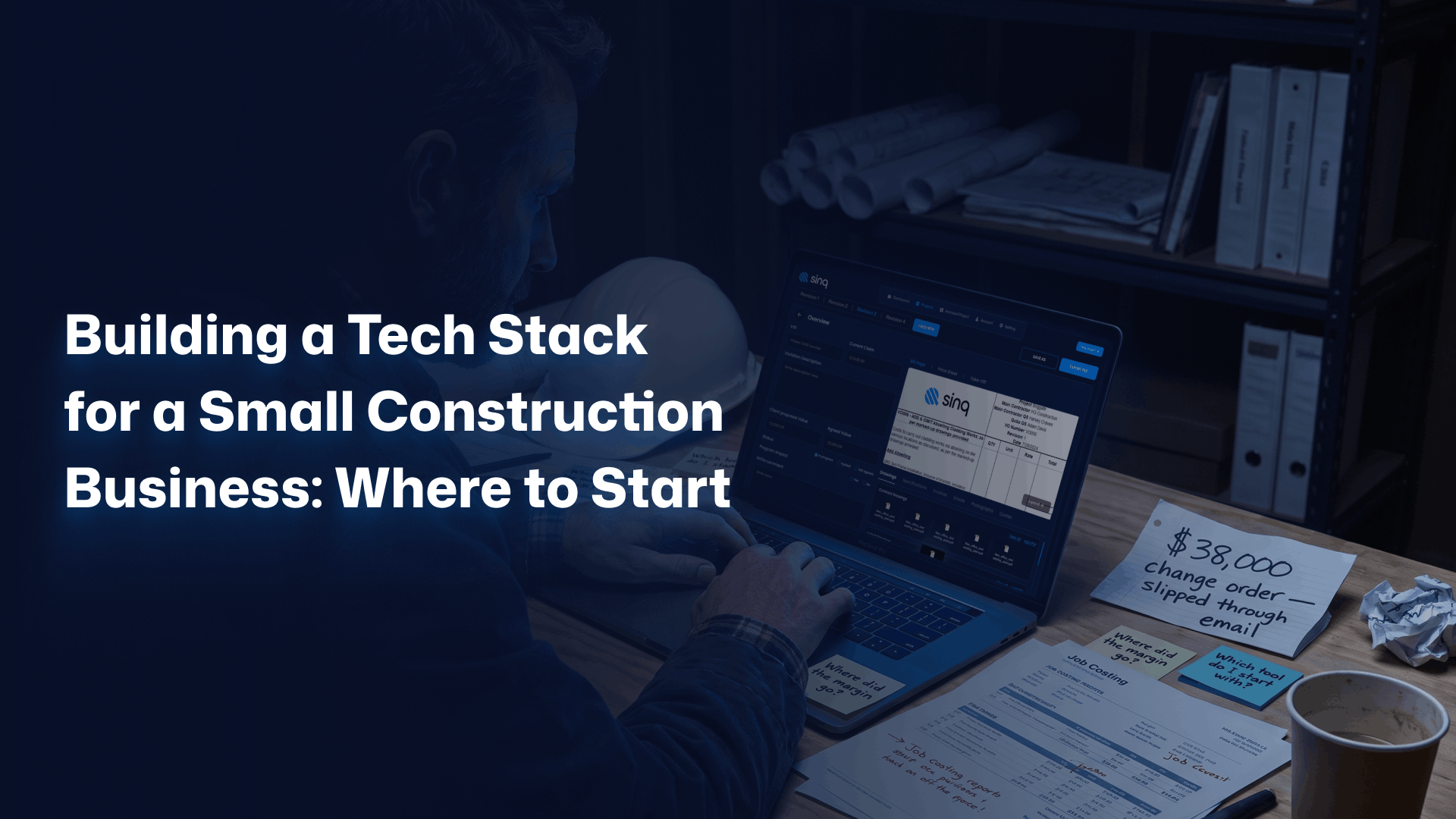
Picture a remodeler running a $1.4M business from a truck, a phone, and three spreadsheets. The estimates live in one file. The schedule lives in another. Job costs live in the bookkeeper’s head until the quarter closes. Then a $38,000 change order slips through an email thread, and the profit on a finished kitchen quietly disappears.
This is where most owners start thinking about a construction tech stack: not from ambition, but from a loss they can finally name. A tech stack for a small construction business is not one app you download. It is the small set of connected tools that runs your money, your bids, your schedule, and your jobsite evidence.
Here is the part nobody says out loud: you already have a stack. It might be QuickBooks, a group text, and a clipboard, but it is still a stack. The real question is never whether you need one. The question is where to start improving it, and in what order.
The numbers show the gap. Construction businesses now run an average of 6.2 separate technologies, up roughly 20% from 5.3 in 2023. Yet 70% of contractors entered 2024 with no formal technology roadmap. The distance between the tools you own and the plan behind them is exactly where margin leaks.
This guide hands you the sequence. What a stack includes, where to start based on where you are bleeding, what it actually costs, and the one layer almost every small contractor skips until it costs them a job.
Why One App Will Never Run Your Whole Business
No single construction app runs an entire business well. Most contractors settle on two to four connected tools, because accounting, estimating, scheduling, and field work each demand different software. The strongest setups pair one solid accounting system with construction-specific tools for the work that general software was never built to handle.
The all-in-one promise is seductive: one login, one bill, one vendor to call when something breaks. It rarely survives contact with a real project. The estimating module feels bolted on. The scheduling view fights your foreman. The accounting export needs a workaround your bookkeeper hates. You bought a suite and inherited five mediocre tools rather than one excellent one.
Modern construction teams run two to four platforms that talk to each other rather than forcing one tool to carry the whole load. That is not a failure of planning. It is the design. According to the Associated General Contractors of America, technology adoption across the industry is accelerating fastest among firms that treat tools as a connected system, not a single purchase.
Here is the honest concession: a brand-new solo operator running two jobs a month does not need six tools. QuickBooks and a shared calendar is a legitimate stack at that stage. The mistake is staying there at $2M in revenue, when a single mistracked variation costs more than a year of software.
Consider a drywall sub doing $2M a year on residential tract work. One foreman, one estimator, one bookkeeper. They do not need enterprise project controls. They need clean job costing, fast takeoffs, and a way to capture site changes before they vanish. The right stack is the smallest one that closes your specific leaks. Nothing more.
What a Construction Tech Stack Actually Includes
A construction tech stack includes six core layers: accounting and job costing, estimating and takeoff, project management and scheduling, a CRM and bid pipeline, field capture and document control, and commercial or variation control. Small firms rarely buy all six at once. They add layers as the pain in each area gets expensive enough to fix.
Think of the stack the way you think of a building. Accounting is the foundation: get it wrong and everything above it cracks. Estimating and the bid pipeline are how work enters the structure. Project management and field tools are the framing that holds a job together day to day. Commercial control is the roof: the layer that protects the margin everything else worked to earn.
Adoption is uneven across these layers, and the pattern is revealing. Roughly 85% of construction firms run accounting software, about 60% use estimating tools, and around 57% use project management software. The drop-off is the story. Most owners cover the money first, then add estimating, then reach for project management once jobs get too complex to hold in their heads.
Notice what sits at the bottom of almost every adoption list: the commercial layer that tracks variations and protects margin. That is not because it matters least. It is because it hurts in a way owners feel late, after the job closes and the numbers come in short. We will come back to that layer, because it is where this guide departs from every generic checklist.
Where to Start: Follow the Money, Not the Hype
Start where you bleed, not where the marketing is loudest. The first tool a small contractor should buy is the one that fixes the most expensive recurring problem: usually job costing if margins are a mystery, estimating if bids are slow or wrong, or variation tracking if change orders keep slipping. Diagnose the leak first. Buy second.
Ask one blunt question before you spend a dollar: where did last year’s profit actually go? If you cannot answer that in an afternoon, your problem is visibility, and accounting with real job costing is your starting layer. If you can answer it but the answer is bad bids, estimating comes first. If the answer is uncaptured change orders, you have a commercial control problem, and no amount of scheduling software will fix it.
Most guides hand you a flat list of categories and wish you luck. That is the failure. A category list tells you what exists rather than what to do Monday. The sequence matters more than the catalog. For a deeper menu of options once you know your priority, our breakdown of the best software for small construction business needs walks each category in detail.
Picture two firms with identical revenue. One buys a slick project management platform because a competitor demoed it at a trade show. The other spends the same money fixing job costing and discovers a 4% margin leak hiding in labor allocation. A year later, one has prettier Gantt charts. The other has $80,000 it would have lost. Same budget. Opposite outcome.
The rule is simple: sequence tools by financial pain, not by feature lists. Buy the layer that pays for itself first. Then use that saving to fund the next one.
The Five Layers Every Small Contractor’s Stack Needs
Every small contractor’s stack needs five working layers before anything fancy: accounting and job costing, estimating and takeoff, project management and scheduling, a CRM and bid pipeline, and field capture for documents and photos. Each layer answers a different question about your business. Together they turn a pile of disconnected files into something that runs like a system.
Accounting and Job Costing: The Foundation You Build On
Accounting is the layer you can least afford to improvise. It tracks whether each job made money, not just whether the bank balance went up. QuickBooks Online covers invoicing, basic job costing, and time tracking for most small firms, and it connects to construction apps when you outgrow it. Sage 100 Contractor steps in when job costing gets complex.
The distinction that matters here is job costing rather than plain bookkeeping. Bookkeeping tells you the company is solvent. Job costing tells you which jobs, crews, and clients actually earn. The Construction Financial Management Association treats job-level cost tracking as the single discipline that separates contractors who scale from contractors who guess.
Estimating and Takeoff: Where Margin Is Won or Lost
Estimating software replaces the spreadsheet that has quietly cost you bids. Tools like STACK or Buildxact handle digital takeoff, assembly pricing, and proposals, so a bid takes hours rather than nights. The payoff is twofold: you bid more work, and you bid it at numbers that hold. A 2% estimating error on a $400,000 job is $8,000 of vanished margin. Speed matters. Accuracy matters more.
Project Management and Scheduling: One Place for the Plan
Project management software gives the whole crew one version of the schedule, the plans, and the daily log. Buildertrend, JobTread, and Fieldwire are common picks for small firms, and Fieldwire offers a free tier for up to five users. The goal is not a prettier calendar. It is killing the daily phone calls that ask where things stand. For larger crews and subs, dedicated contractors management software adds compliance and performance tracking on top.
CRM and the Bid Pipeline: Stop Losing Work You Already Found
A construction CRM tracks every lead, bid, and follow-up so opportunities stop dying in a full inbox. This is the layer owners skip longest and regret most, because the cheapest job to win is the one already in your pipeline. Strong construction CRM features include bid tracking, automated follow-up, and win-rate reporting.
Most small firms do not lose bids on price. They lose them on silence: a quote sent, never followed up, forgotten by week two. Adopting construction CRM software turns that leak into a process. A contractor who lifts close rate from 20% to 25% on $3M of bids adds $150,000 of work without spending a dollar more on lead generation.
Field Capture and Documents: Proof From the Jobsite
Field capture tools let crews record photos, daily logs, and site changes in real time, from a phone, before the detail is lost. This is the evidence layer. When a client disputes a change or an inspector asks what happened on the 14th, the answer should be a timestamped photo rather than a memory. Mobile capture is not a luxury for big firms. It is the cheapest insurance a small contractor can buy.
What a Starter Stack Really Costs in 2026
A functional starter stack for a small construction business runs from roughly $150 to $600 per month in 2026, depending on crew size and how much construction-specific software you add. The license fee is the visible cost. The hidden costs, setup time, training, and data cleanup, often run two to three times the first year’s subscription. Budget for both.
Here is a realistic picture of the tiers, drawn from current published pricing. Treat these as starting points rather than quotes, because seat counts and add-ons move the number fast.
| Stage | Typical stack | Indicative monthly cost |
| Solo / startup | QuickBooks Online, Fieldwire free tier, Google Workspace | Under $150 |
| Growing (2 to 10 staff) | Accounting, estimating (STACK or Buildxact), one PM tool | $150 to $400 |
| Established (10+ staff) | Full accounting, estimating, PM, CRM, commercial control | $400 to $600+ |
The cost that surprises owners is never the subscription. It is the switching cost: the month your team spends half-using the old system and half-learning the new one. Plan migrations for your slow season rather than mid-build. The U.S. Small Business Administration is blunt about this for small firms: technology spend only pays off when cash flow and training are planned around it, not bolted on after.
Run the math the way you would on a job. Early adopters report saving 500 to 1,000 hours and $50,000 or more a year once a stack is working, but the return typically takes two to four years to fully land. A tool that costs $4,800 a year and saves one disputed $40,000 variation has paid for itself eight times over. The trap is judging software by its price rather than by what it protects.
Already know which layer is your weak point? Start a conversation with Sinq, or keep reading to size the rest of your stack.
The Layer Most Contractors Skip: Commercial and Variation Control
The layer most small contractors skip is commercial and variation control: the software that captures, prices, and approves every change order before it becomes a dispute. Generic stacks track schedules and invoices well, but they let variations live in email and memory. That gap is where small firms lose the most margin, on work they actually performed.
Variations are not paperwork. They are revenue you already earned and have not been paid for yet. A change gets agreed verbally on site. The crew does the extra work. The detail never makes it into a priced, approved record. Ninety days later the client questions the invoice, and you are arguing from memory rather than evidence. The margin you built into the job walks out the door.
This is the wedge that separates a real commercial layer from a scheduling tool. Variation control captures the change at the moment it happens: photo, scope, cost build-up, approval trail, all timestamped. Sinq was built for exactly this layer, the one most small contractors discover only after a dispute teaches them why it matters. Pairing it with dedicated change order software for contractors turns every site change into a defensible, billable record.
Consider what one protected variation is worth. A contractor on a $600,000 fit-out logs twelve changes over four months. Tracked properly, those changes bill at $74,000. Lost to email and goodwill, half of them slip, and $37,000 evaporates. The scheduling software was working fine the whole time. The missing layer was commercial control. That is the difference between a stack that organizes work and a stack that protects profit.
Want to see where your margin is actually leaking? If untracked variations are the gap in your stack, that is the exact problem Sinq was built to close. Book a free 30-minute discovery call: no pitch deck, no pressure, just a direct look at your variation process.
Why Disconnected Tools Quietly Drain Your Profit
Disconnected tools drain profit through double entry, version errors, and blind spots between systems. When your estimate, schedule, and accounting do not share data, someone re-keys numbers by hand, and every manual transfer is a chance to lose money. Integration is not a technical nicety. It is how a stack stops leaking at the seams.
The hidden tax of a disconnected stack is the human glue holding it together. An office manager exports from estimating, reformats in a spreadsheet, and re-enters into accounting. Three hours a week, every week. That is 150 hours a year spent moving data that software should move itself, and it is 150 hours where a transposed figure can quietly cost a job its margin.
The fix is to choose tools that integrate natively rather than tools that merely coexist. Before you buy any layer, ask the vendor one question: what does this connect to, and how? A tool that exports clean data to your accounting system is worth more than a flashier tool that traps your numbers. Connection beats features when the features cannot talk to each other.
This is also why the all-in-one suite keeps its appeal: it solves integration by force. For some firms that tradeoff is worth it. For most small contractors, two or three well-connected best-in-class tools beat one suite of compromises rather than the other way around. Buy for the seams, not just the parts.
Why Most Construction Software Fails: Adoption, Not Features
Most construction software fails on adoption, not features. The tool works fine. The crew just never uses it, because it was rolled out without training, without a reason they could feel, or without fitting how the team already works. A cheaper tool the crew uses every day beats a powerful platform that sits idle. Adoption is the whole game.
The pattern repeats across the industry. Firms buy capability, then assume usage will follow. It does not. Field crews abandon software that adds steps without removing pain. The owner sees a dashboard nobody updates and concludes that technology does not work for construction. The technology was fine. The rollout was the problem.
Pick tools your least tech-comfortable foreman will actually open on a phone in the rain. Run one job as a pilot rather than switching the whole company at once. Name one person who owns the rollout. Show the crew the win that matters to them, fewer callbacks, faster pay, less paperwork after hours, rather than the win that matters to the office. People adopt tools that make their own day easier, not tools that make the owner’s reports prettier.
There is a sobering backdrop here. Around 79% of construction organizations have either implemented no advanced technology or are only testing it in limited ways, even as 87% expect it to reshape the industry. The firms pulling ahead are not the ones with the biggest stacks. They are the ones whose crews actually use what they bought. Tools do not transform a business. Habits do.
Frequently Asked Questions
What software does a small construction business actually need?
A small construction business needs three layers to start: accounting with job costing, estimating, and a way to capture jobsite changes. Most firms run two to four connected tools rather than one suite. Project management and a CRM come next as crews and bid volume grow. Buy the layer that fixes your most expensive problem first.
How much should a small contractor budget for a tech stack?
Expect $150 to $600 per month for a functional small-contractor stack in 2026, plus setup and training in year one. A solo operator can run under $150 a month with QuickBooks and free field tools. Growing firms land in the $150 to $400 range. Budget the hidden costs of migration and training, which often exceed the subscription itself.
Should I use all-in-one construction software or separate best-in-class tools?
Use separate best-in-class tools when each layer matters to your margin and your tools integrate cleanly. Choose an all-in-one suite when you value one vendor and simple billing over depth in any single area. Most small contractors get more value from two or three well-connected tools than from one suite of average modules. Decide based on integration, not on login count.
What is the first construction software a small business should buy?
Buy accounting software with real job costing first, in most cases. It tells you which jobs actually make money, which every other decision depends on. The exception: if your bids are slow or inaccurate, start with estimating, and if change orders keep slipping, start with variation control. Diagnose your biggest financial leak, then buy the tool that closes it.
How long before a construction tech stack pays for itself?
A construction tech stack usually pays for itself within two to four years, though sharp wins land sooner. A single protected $40,000 variation or a few percentage points of recovered margin can cover years of subscriptions in one job. Early adopters report saving 500 to 1,000 hours and $50,000 or more annually once the stack is fully adopted. Adoption speed, not software price, sets the timeline.
Your Construction Tech Stack: Where to Start This Week
Building a construction tech stack is not a shopping trip. It is a sequence of decisions, each funded by the saving the last one created. Start by naming where your money actually leaks. Fix that layer first. Then let the return pay for the next.
Do not buy the platform a competitor demoed. Buy the layer that closes your most expensive leak this quarter. For most small contractors that order runs: job costing, then estimating, then project management and CRM, then the commercial control layer that protects every margin the others helped you earn. The best stack is the smallest one that stops your specific bleeding.
And do not skip the layer everyone skips. Variations are earned revenue waiting to be lost. Capture them, and a modest stack outperforms an expensive one that leaves margin in an email thread.
If untracked change orders are your weak layer, that is where Sinq fits. Book a free 30-minute discovery call: 30 minutes, no pitch deck, no obligation, just a direct look at where your variation process is costing you. Start with the leak you can name today.
Build the stack your business actually bleeds for.