

Table of Contents
- Why Field Change Orders Turn Into Disputes
- What Mobile Change Order Software Actually Does
- Capturing Change Orders on Site, Even With No Signal
- The Photo, GPS, and Timestamp Trail That Wins a Dispute
- Change Order Approval Software: From Field Request to Signed Off
- How Change Order Software for Construction Syncs With QuickBooks
- Is There Free Change Order Software, and Is It Enough?
- Choosing a Change Order App for Contractors: What to Evaluate
- What Untracked Field Changes Actually Cost You
- Mobile Change Order Software, Answered
- Capture the Change Before It Captures Your Margin
The foreman spots it at 7:40 a.m. The footing detail on the drawings does not match what is actually in the ground. He calls it in, the crew adapts, and by lunch the extra concrete is poured. The change is real. The cost is real. The only thing missing is the record.
This is the exact gap mobile change order software is built to close. A field change becomes a dispute for one reason: the work gets built faster than the paperwork gets written. Your crew moves at the speed of the jobsite. Your approval moves at the speed of email. In between sits money you may never collect.
Capture the change where it happens, with the evidence attached, and the dispute never forms. This guide covers what mobile change order software does, how it captures and approves changes from the field, how it connects to your accounting, and what untracked field changes quietly cost you. Start with why the field is where the money leaks.
Why Field Change Orders Turn Into Disputes
Field change orders turn into disputes when the work gets built before the change gets documented. Change orders average 10 to 15 percent of a project’s contract value, and any slice you cannot prove becomes an argument. The fight is rarely about the work itself. It is about the missing record.
Picture the sequence. A condition on site differs from the plans. The site team makes the right call and keeps the job moving, because stopping a crew to wait for paperwork burns more money than the change itself. The extra work gets done. Then the documentation waits: for the end of the shift, for the drive home, for the weekend that never comes.
By the time anyone writes it up, the details have gone soft. Which day was it? Who authorized it? What did the original scope actually say? The crew remembers the work, not the paper trail. The owner remembers approving nothing.
This is not a discipline problem. It is a tooling problem. Asking a superintendent to stop, open a laptop, and fill in a form mid-pour is asking the impossible, so they do the sensible thing and defer it. According to an academic study on change order impact presented through the American Society for Engineering Education, a high volume of changes can cut field productivity by 10 to 30 percent, and unmanaged changes are a leading driver of cost overrun and claims.
The pattern repeats on almost every job that ends in a disputed final account: good work, weak record. The best contractors do not fix this by nagging the field harder. They move the capture point to where the change actually happens. Not the office. The point of work.
What Mobile Change Order Software Actually Does
Mobile change order software lets a site team capture, price, and submit a change order from a phone or tablet at the moment work changes, then routes it for approval and syncs it to the office. It replaces the memory-and-email method with a time-stamped record created on site, so the change is documented before the crew has moved to the next task.
Think of it as moving the paperwork to the person who saw the change, rather than moving the change to a person who did not. The value is not the digital form. The value is the timing. A change logged at 7:45 a.m. with a photo attached is evidence. The same change written from memory three weeks later is a story, and stories lose in negotiation.
A capable tool handles the full life of the change, not just the entry. It captures the description and cause. It attaches photos, measurements, and the affected drawing. It builds up the cost from labor, plant, and materials. It routes the item to whoever must approve it. And it keeps a running total of how every change moves the contract sum.
What it captures at the point of work
The field entry should take under two minutes, or the crew will not use it. Description, cause, a photo or two, a rough quantity, and who requested it. That is the minimum that turns a verbal instruction into a defensible record. Everything else can be completed later at the desk.
The concept is simple, but the discipline it enforces is where the money is. Every change carries its evidence, its price, and its approval status from the first minute. Nothing floats. Nothing waits for a memory that will not hold. That reliability is only worth anything if it works where the signal does not, which is the next problem most tools ignore.
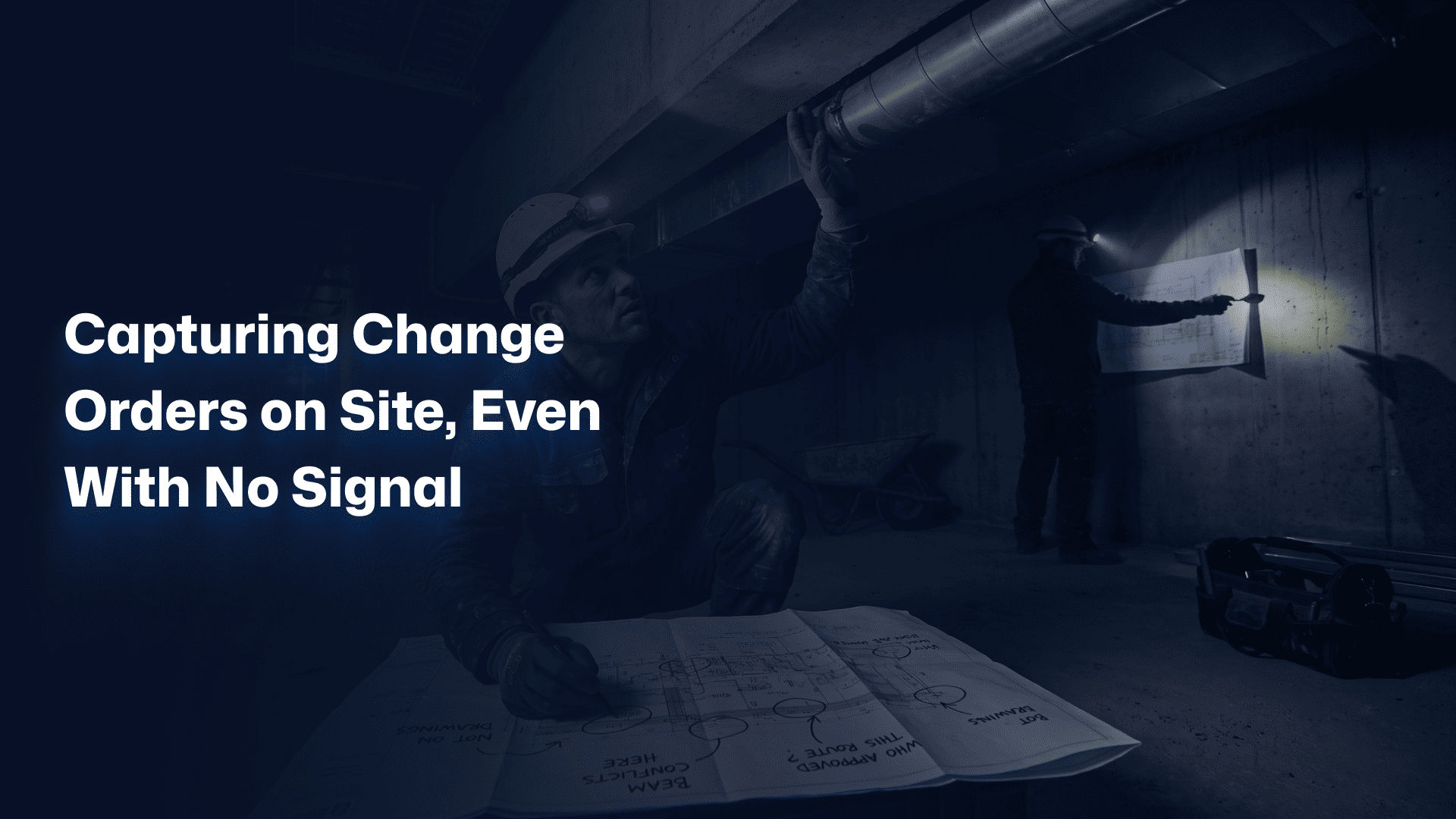
Capturing Change Orders on Site, Even With No Signal
The hardest place to capture a change order is the exact place changes happen: a basement, a lift shaft, a steel-framed floor plate, a rural site with one bar of signal. Real mobile change order software captures and queues the record offline, then syncs the moment a connection returns. Capture must never depend on coverage.
Most tools quietly assume a live connection. Their marketing says real time, synced, cloud based. Walk that same app into a concrete stairwell and the form spins, then fails, then loses what the user typed. So the site team stops trusting it. And a tool the field does not trust is a tool the field does not use.
This is the difference between an office product carried onto a site and a field product built for the site. The office version treats connectivity as a given. The field version treats a dead zone as the normal case and designs for it. You want to track change orders from the point of work, not from the point of good reception.
Consider a fit-out crew working three levels below grade. A duct run clashes with a structural beam that is not on their drawings. They photograph it, log the change, note the delay, and move a crew to other work. No signal the entire morning. At lunch, back at street level, every record they captured syncs to the office in seconds, already time-stamped from when it was actually entered.
That is the test for field capture: does it work when the wifi does not? If a tool only performs in the site office with strong coverage, it has solved the easy half of the problem and left the expensive half on the table. Capturing the change is step one. Proving it is step two, and proof is a specific thing.
The Photo, GPS, and Timestamp Trail That Wins a Dispute
A defensible change order record contains four things captured together: a geotagged photo, the GPS location, the capture timestamp, and the identity of who logged it. That bundle is what turns a claim from your word against theirs into a documented fact. Most disputes settle the moment one side produces evidence the other cannot.
Generic software says keep a record for legal protection. Few explain what a record must contain to actually hold up. A line item in a spreadsheet is not evidence. A photo with no date is not evidence. Evidence is a change tied to a place, a time, a person, and an image, all captured at once and impossible to backdate.
What a court-ready audit trail includes
Build every field change so it carries: the affected drawing or spec reference, a photo showing the actual condition, the GPS coordinates and timestamp of capture, the crew member who logged it, the cause of the change, and the instruction or approval that followed. Assemble those automatically and you have a chain no verbal denial can break.
Picture a T&M dispute six months after handover. The owner insists a 40,000 change was never authorized. You produce a record created at 9:12 a.m. on the day, geotagged to the exact grid line, with a photo of the undocumented condition and the project manager’s approval logged twenty minutes later. The dispute does not go to a lengthy claim. It ends in an email.
This is the honest concession. Good documentation will not win a change that was genuinely never agreed. It is not a trick for billing work nobody sanctioned. What it does is protect the legitimate changes you actually made, which is where honest contractors lose the most money: not to fraud, but to their own thin records.
The reader who has sat through one arbitration knows the feeling. You did the work, you did it right, and you still lost the argument because the file was weak. Capture the evidence at the source and that argument disappears before it starts.
Losing legitimate changes to weak field records? If your team builds the work but cannot always prove it, that is exactly where Sinq fits. Book a free 30-minute discovery call: no pitch deck, no obligation, just a direct look at where your field changes lose their evidence.
Change Order Approval Software: From Field Request to Signed Off
Change order approval software moves a change from field request to signed approval through a defined workflow, so nothing gets built on a verbal yes. The request routes to the right approver, captures a digital signature, adjusts the contract sum, and records the whole chain. Approval stops being a favor someone remembers and becomes a step the system enforces.
The classic failure is the verbal authorization. A client says go ahead on site, the crew builds it, and later that go ahead evaporates. Not always dishonestly: people forget, staff change, memories drift toward whichever version costs them less. A structured approval turns a fragile spoken yes into a durable signed one.
Formal instruments exist for exactly this reason. The AIA G701 change order form documents an agreed change to the contract sum and time with owner, contractor, and architect sign-off. Good change order approval software generates that record, captures the signatures, and updates the running contract value automatically, so the paperwork keeps pace with the work.
From request to signature, without the chase
The workflow should be visible to everyone who touches it. Who requested the change, who must approve it, where it is sitting right now, and how long it has waited. When an approval stalls, the delay is on the record and attached to a name. That visibility alone shortens approval times, because nothing rots silently in an inbox.
A change that clears this path arrives at the invoice already proven: requested, evidenced, priced, and signed. There is nothing left to argue and nothing left to chase. The next question is whether that approved value actually reaches your accounting, because an approved change that never gets billed is just unpaid work with better paperwork.
How Change Order Software for Construction Syncs With QuickBooks
Change order software for construction should push approved changes straight into your accounting system, so an approved value becomes an invoiced value without re-keying. QuickBooks change order integration is the most common example: the approved change updates the customer’s contract total and flows into billing, closing the gap where approved work slips away unbilled.
The quiet leak is not the unapproved change. It is the approved one that never makes it onto an invoice. The change gets built, gets signed, and then lives in a project tool while the accounting system knows nothing about it. Month end comes, the invoice goes out short, and nobody notices until the margin does.
A clean sync closes that loop. When a change is approved, the value should appear where you bill from, tagged to the right job and cost code. No spreadsheet re-entry, no copy-paste between systems, no version of the truth that disagrees with the other version. One approved number, in both places.
Why QuickBooks change order integration matters for smaller contractors
For most US contractors, the books live in QuickBooks. A tool that speaks to it directly means the office team stops manually reconciling field changes against invoices. If you are building out your systems, our guide to change order software for construction compares how the leading tools handle this accounting link.
Test the sync before you commit. Approve a change in the tool, then look at your accounting system: is the value there, on the right job, ready to bill? If it is, you have closed the most expensive gap in the change process. If you still have to type it in twice, you have a project tool, not a commercial one. That distinction matters more when the tool is free, which is the next question every contractor asks.
Is There Free Change Order Software, and Is It Enough?
Free change order software exists, usually as a limited tier of a larger platform or a template pack, and it is genuinely useful for a solo operator or a first project. It captures a change and produces a document. Where it stops is workflow, integration, and evidence at scale: approvals, accounting sync, offline field capture, and an audit trail built to survive a claim.
Free is the right call at the right stage. A one-crew contractor running three changes a month does not need enforced approval routing. A shared template and a disciplined folder will hold. Pretending otherwise would be selling complexity nobody needs. The honest answer is that free works until volume and risk grow past it.
The line to watch is not price. It is exposure. Free change order software captures the change but rarely proves it: no geotag, no locked timestamp, no signed approval chain. On a 4 million contract with 400,000 in changes, a single disputed 60,000 item erases years of what a paid tool would have cost. The free version did not save you money. It deferred a bigger bill.
Watch three specific limits on any free tier. Approvals: can you route and capture a real signature, or only email a PDF? Accounting: does an approved change reach your books, or die in the tool? Evidence: is the record time-stamped and location-stamped, or editable after the fact? Fail two of those three and free is costing you, not saving you.
So the answer is not free versus paid. It is matched versus mismatched. Match the tool to your volume and your risk. When a lost change would hurt, you have outgrown free, whatever the sticker says.
Choosing a Change Order App for Contractors: What to Evaluate
Evaluate a change order app for contractors on five things: speed of field capture, offline reliability, approval workflow, accounting integration, and the strength of its audit trail. A tool can look impressive in a demo and still fail on a real jobsite. Judge it by the worst conditions your crews work in, not the boardroom.
Run the demo against your hardest case, not the vendor’s easy one. Ask to log a change with no signal. Ask how an approval gets signed on a phone. Ask where an approved value lands in the accounting system. The answers separate a field tool from an office tool wearing field clothing.
| What to evaluate | The question to ask | Why it matters |
| Field capture speed | Can a crew log a change in under two minutes? | If it is slow, the field will defer it and the record dies. |
| Offline reliability | Does capture work with no signal, then sync later? | Changes happen in dead zones, not in the site office. |
| Approval workflow | Can you route and capture a real digital signature? | A signed yes holds up where a verbal yes does not. |
| Accounting integration | Does an approved change reach QuickBooks ready to bill? | Approved but unbilled work is pure lost margin. |
| Audit trail | Is every record time-stamped, located, and locked? | Evidence you cannot backdate is evidence that wins. |
One more factor rarely makes the checklist and quietly decides everything: whether your subcontractors can use it. If subs can submit changes from their own phones and you can approve from yours, the whole tier moves at field speed. If subs are locked out, you are back to email and the gap reopens.
Weight the five factors by your own risk. A residential remodeler prioritizes speed and QuickBooks. A civil contractor on a disputed public job prioritizes offline capture and the audit trail. There is no universal best tool. There is the tool matched to how you actually lose money today.
Already know which gap is costing you most? Start a conversation with Sinq here, or keep reading to see what untracked field changes actually add up to.
What Untracked Field Changes Actually Cost You
Untracked field changes cost contractors in three ways: unbilled work you performed but never invoiced, margin erosion from changes priced too late to negotiate, and lost claims where you did the work but could not prove it. On a typical project, changes run 10 to 15 percent of contract value, so even a small slippage rate removes real profit.
The number that should worry you is not the total change value. It is the fraction that leaks. Bill 90 percent of your changes cleanly and lose 10 percent to weak records, and on 400,000 of changes that is 40,000 of pure margin gone, because the cost was already spent building the work. Analysis of the true cost of estimating change orders shows the hidden expense compounds well beyond the direct value of the work.
There is a second cost that never shows on a report: negotiating power. A change priced and evidenced the day it happens gets discussed while goodwill is high. The same change raised at final account, months later, with a thin record, gets challenged line by line. Late changes do not just risk rejection. They invite it.
And there is the slowest cost of all: your team’s time. Every disputed change pulls a project manager off the next job to reconstruct what happened, dig through photos, and chase people for confirmation. That reconstruction is unbillable, demoralizing, and entirely avoidable. The record should already exist. It should not have to be rebuilt.
Add the three together, unbilled work, eroded margin, lost claims, plus the hidden time cost, and the case for capturing changes at the source stops being a software preference. It becomes a commercial decision about how much of your own work you intend to get paid for.
Mobile Change Order Software, Answered
What is mobile change order software?
Mobile change order software is a phone or tablet app that lets a construction site team capture, price, and submit a change order at the point of work, then route it for approval and sync it to the office. It replaces memory and email with a time-stamped, photo-backed record created on site. The goal is simple: document the change before the crew moves on, so nothing gets built on an undocumented instruction.
How do you track change orders in the field?
You track change orders in the field by logging each one at the moment it happens, on a mobile app, with a photo, a location, a timestamp, and the cause attached. The record then routes for approval and updates a running total against the contract sum. The key is capturing at the point of work rather than reconstructing later, because a change logged on the day is evidence and a change written from memory is a guess.
Does mobile change order software integrate with QuickBooks?
Yes, the better tools offer QuickBooks change order integration, so an approved change updates the customer’s contract total and flows into billing without re-keying. This closes the common gap where approved work never reaches an invoice. Always test the sync before committing: approve a change, then confirm the value appears in your accounting system on the correct job and cost code, ready to bill.
Can subcontractors submit and approve change orders from a phone?
Yes, with the right tool subcontractors can submit change orders from their own phones and general contractors can review and approve from theirs. That keeps the whole tier moving at field speed instead of stalling in email. When subs are locked out of the system, changes revert to verbal instructions and untracked paperwork, which is exactly where disputes between GCs and subs begin.
Is free change order software enough for a construction business?
Free change order software is enough for a solo operator or a first project with low change volume. It captures a change and produces a document. It usually falls short on enforced approvals, accounting integration, offline field capture, and a locked audit trail. Once a single disputed change could cost more than a year of a paid tool, you have outgrown free, regardless of the sticker price.
Capture the Change Before It Captures Your Margin
A field change is not a paperwork problem. It is a commercial event wearing work clothes. The concrete gets poured either way. Whether you get paid for it comes down to one thing: whether the change was captured, with its evidence, at the moment it happened.
Start where your gap is widest. If your crews cannot log changes without signal, fix offline capture first. If approvals live in inboxes, lock the workflow. If approved work never reaches the invoice, fix the accounting sync. You do not need every feature at once. You need the one that closes the gap where your money leaks today.
The best change process is not the most advanced one. It is the one where every field change carries its photo, its price, and its approval by default, so a pending change never quietly becomes a lost one. Mobile change order software exists to make that the path of least resistance for the person standing where the change happens.
If untracked field changes are costing you margin right now, that is exactly where Sinq fits. Book a free 30-minute discovery call: 30 minutes, no pitch deck, no obligation, just a direct look at where your changes lose their link to the record. Start with the one change you cannot prove today.
Capture the change. Keep the margin.