
Table of Contents
• Why the Right Software for Small Construction Businesses Decides Who Survives 2026
• The Integration Tax: Why 11 Apps Quietly Drain Your Margin
• Accounting and Job Costing: The Layer That Tells You If You Are Actually Making Money
• Estimating and Takeoff: Win the Right Jobs at the Right Price
• Project Management and Scheduling: Stop the Job From Running You
• Document and Variation Control: Where Small Contractors Lose the Most Money
• CRM and Bid Tracking: Turn a Pipeline of Maybes Into Booked Work
• Field and Mobile Capture: The Evidence Layer That Wins Disputes
• When One Tool Beats a Full Stack: An Honest Take
• How to Build Your Stack: A Practical Buying Sequence
• Frequently Asked Questions
• The Bottom Line on Software for Small Construction Businesses
Why the Right Software for Small Construction Businesses Decides Who Survives 2026
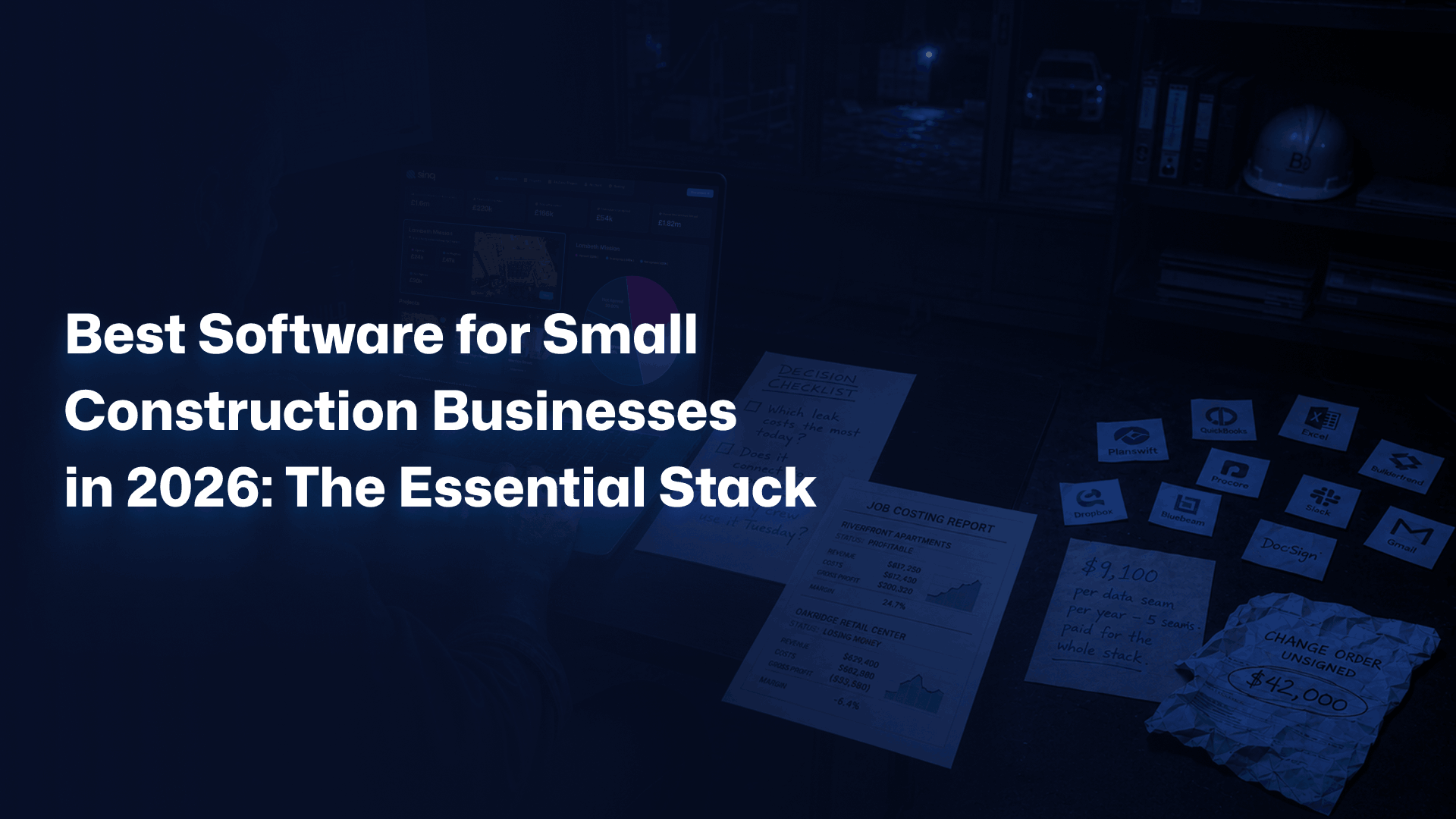
Picture a 14-person GC three jobs deep, profitable on paper, and quietly bleeding cash. The owner runs the business across four disconnected places: estimates in one spreadsheet, costs in another, schedules on a whiteboard, and change orders in a thread of 90 emails. Then a $42,000 extra slips through unsigned. That is not a paperwork problem. It is a margin problem wearing a paperwork costume. The right software for small construction businesses is the difference between knowing your numbers and guessing them. Cash flow problems contribute to 82% of small business failures, and construction is the second-most likely industry to fold in year one. The reason is rarely bad work. It is invisible leakage of three kinds: costs nobody tracked, variations nobody signed, and money owed that nobody chased. Most small contractors respond by buying more apps. The average contractor now runs 11 separate applications, and only about a third exchange data without manual re-keying. So you end up with more screens and less truth. The goal is not more software. It is one connected stack: a system where the numbers move on their own. This guide breaks the essential stack into seven layers: accounting and job costing, estimating and takeoff, project management, scheduling, document and variation control, CRM and bid tracking, and field capture. Each layer solves one specific pain. Buy in the wrong order and you waste money. Buy in the right order and the business starts to run quieter.
The Integration Tax: Why 11 Apps Quietly Drain Your Margin
The integration tax is the hidden cost of disconnected tools: hours lost to re-keying, numbers that never reconcile, and decisions made on stale data. The average contractor runs 11 applications, yet only one-third share data automatically. Custom connectors can run $50,000 each. For a small firm, that math never works. Here is what the tax actually looks like on a Tuesday. A project manager updates a cost on the job. The estimator never sees it. The bookkeeper invoices off last month’s budget. The owner reviews a profit number that was wrong before lunch. Nobody lied. The data just never traveled. The common mistake is treating each pain as its own purchase. A scheduling app here, an invoicing tool there, a photo app on the side. Each one solves a problem and creates a seam. By the eighth tool, the pattern is clear: your team spends more time feeding software than building. Tools should remove work, not add a second job. The fix is simple to say and harder to do: think in layers, not apps. Decide which functions genuinely need to talk to each other: costs to accounting, variations to costs, field evidence to documentation. The best construction software for small firms picks one accounting spine, then adds tools that integrate cleanly with it rather than tools chosen in isolation. then add tools that integrate cleanly with it rather than tools chosen in isolation. Integration is not a feature. It is the whole point. Consider the math on a single seam. If two people re-key data for 30 minutes a day at $35 an hour, that is roughly $9,100 a year per seam. Carry five seams and you have funded a full software stack just by closing them. The question flips: it is not whether you can afford integrated tools. It is whether you can afford the gaps between siloed ones.
Accounting and Job Costing: The Layer That Tells You If You Are Actually Making Money
Job costing software tells you profit per job in real time, not in March when your accountant closes the books. Companies using dedicated job costing report 40% less time tracking costs and estimates 80% faster. For a small contractor, that is the layer that converts gut feel into a number you can defend. Start from the pain. You finish a job, it felt fine, then the year-end report shows you lost money on it. Generic accounting tells you the company made money. It does not tell you the thing that matters: which jobs paid and which quietly drained the others. Without job-level costing, you are flying a plane with one gauge that averages all four engines. Construction accounting is its own discipline. It carries retainage, progress billing, AIA-style pay applications, and revenue recognition rules that standard small-business books were never built to handle. Treating a construction company like a coffee shop with QuickBooks alone is the single most common setup mistake small builders make. The honest fix for most small firms is a two-part spine. Keep a strong accounting platform as the financial system of record, then layer construction-grade job costing on top so every labor hour, material delivery, and committed cost lands against the right job code. The U.S. Bureau of Labor Statistics tracks construction as one of the most cash-sensitive sectors in the economy, and that sensitivity is exactly why job-level visibility matters. Verify your tool handles retainage and percentage-of-completion before you sign anything. federal labor and industry data confirms how thin construction margins run, which is why a $12,000 cost coded to the wrong job can erase a quarter’s profit on a small book of work. Pick the accounting layer first. Everything else reports into it.
Estimating and Takeoff: Win the Right Jobs at the Right Price
Estimating and takeoff software turns plans into priced bids in hours rather than days, and cuts the math errors that quietly sink margin. The most requested feature across contractors, cited by 60%, is the ability to calculate costs quickly. Speed is not vanity here. The faster, more accurate bidder wins more of the right work. The pain is familiar. Picture the Sunday night routine: you are bidding three jobs at once, measuring off PDFs with a scale ruler, and copying numbers into a spreadsheet that has not been checked since 2022. One transposed figure and you either lose the bid or win it at a loss. Manual takeoff does not just cost time. It costs the jobs you misprice without knowing. Takeoff software lets you measure quantities directly on digital drawings: linear feet, square footage, counts, volumes. Estimating software then attaches your real unit costs and assemblies to those quantities. The two together replace the riskiest part of running a small contractor: pricing work by hand under deadline pressure. The mistake is buying estimating software that lives in its own world. A bid that cannot flow into a budget, and a budget that cannot flow into job costing, leaves you re-entering the same numbers three times. The best estimating tools for small firms do one thing the spreadsheet cannot: export a clean budget that becomes the baseline your costs are measured against. Bid once. Use that data everywhere. Picture a remodeler who moves from spreadsheet takeoff to digital takeoff. Bid prep drops from six hours to ninety minutes, and win rate climbs because quotes go out same-day while the lead is still warm. That is the quiet compounding effect: faster accurate bids mean more shots on goal at prices that actually hold.
Project Management and Scheduling: Stop the Job From Running You
Construction project management software keeps tasks, crews, subs, and documents in one place so the job runs to a plan rather than to whoever shouts loudest. Schedule slippage is a primary driver of cost overruns, and 85% of construction projects run over budget. A controlled schedule is the cheapest insurance a small contractor can buy. The pain shows up as constant firefighting: the framer arrives before the slab cures, the inspector comes and the paperwork is on someone’s truck, a delivery lands with nowhere to go. A sub no-shows and the whole week dominoes. Without a shared schedule, every delay becomes a phone call, and every phone call becomes a guess about what happens next. Project management software gives every job a single source of truth: the plan, the tasks, the responsible party, and the status. Scheduling tools layer in sequencing and dependencies so you can see that a two-day delay on inspection pushes drywall, paint, and your next start date. Visibility turns surprises into adjustments you make on purpose. Small contractors often over-buy here, paying for enterprise platforms built for 300-person firms and using 8% of the features. That is the mistake. A 12-person crew does not need critical-path modeling across 40 concurrent projects. It needs a clear weekly look-ahead, assigned owners, and a place where subs check the plan instead of calling you. Match the tool to the size of the problem. Keeping trades accountable is its own discipline, and managing contractors with software means every sub works to the same plan instead of the same phone call.. Already know your biggest leak is commercial control rather than scheduling? Start a short conversation with Sinq about variations and margin, or keep reading to finish the stack.
Document and Variation Control: Where Small Contractors Lose the Most Money
Variation and change-order control is the layer where small contractors lose the most money, because unsigned scope and lost paperwork turn into unpaid work. Change orders run 10 to 15% of contract value on many jobs, and design changes alone drive 56.5% of cost overruns. Capture them properly and you protect the margin you already earned. Start with the moment it goes wrong. The client asks for a small change on site. Your foreman says yes, does the work, and never writes it down. Three weeks later you invoice and the client says they never approved it. Now you are arguing over $8,000 with no signature, no photo, and no record. That money is gone, and so is some trust. Variation management software captures the change at the source: what was asked, who approved it, what it costs, and what it does to the schedule. Document control keeps drawings, RFIs, submittals, and approvals in one searchable place rather than scattered across inboxes. North America saw a 42% jump in construction dispute values in recent reporting, and most of those disputes trace back to exactly this gap. The mistake is treating variations as admin to handle later. Later is when your negotiating position is gone. The best small contractors treat every variation as evidence captured in the moment: priced, approved, and time-stamped before the work proceeds. This is the commercial control layer, and it is where a focused tool earns its cost many times over. Strong contract management software for construction companies sits right beside it, keeping the agreement and the changes to it aligned. This is exactly the layer Sinq is built for. Rather than burying changes in email, it captures each variation with its cost build-up, approval trail, and programme impact in one record, so a $40,000 extra never lives or dies in a thread nobody can find. Picture a subcontractor who logs every variation the day it happens: at final account, the claim is a clean schedule of signed changes rather than a fight. Dedicated change order software turns disputed extras into documented revenue. See your variations as evidence, not afterthoughts. If unsigned changes and lost paperwork are eating your margin, a short walkthrough shows how Sinq captures every variation with its full audit trail. Book a quick conversation with the team. No pitch deck, no pressure, just a look at your commercial control.
CRM and Bid Tracking: Turn a Pipeline of Maybes Into Booked Work
A construction CRM tracks every lead, bid, and follow-up so warm work does not go cold in a notebook. Small contractors that track their pipeline win more bids simply because they follow up on time. The tool does not win the job for you. It stops you from losing jobs you already had a shot at. The pain is quiet because you never see what you lost. A general contractor calls about a project. You quote it, then get buried on a live job, and forget to follow up. Six weeks later they hired someone who called back. You never knew you lost it, because it never showed up anywhere as a number. Lost bids are invisible until you start counting them. A construction CRM keeps every opportunity in one view: who called, what they need, what you quoted, and when to follow up. Bid tracking shows your hit rate by job type, by client, and by estimator. Suddenly you can see that you win 60% of remodels and 12% of new builds, which tells you exactly where to spend your bidding time. The mistake is running sales out of a phone and a memory. That works at five jobs a year. It collapses at fifty. The best small contractors treat the pipeline as a system, not a hope, so follow-up happens whether or not the owner remembers. Good construction CRM software turns a pile of maybes into a forecast you can actually staff against. Picture a specialty contractor who starts tracking bids. Within two quarters they spot that they chase every job but only win the ones under $200,000, so they stop bidding the rest and double down where they win. Same effort, far better return. That is what visibility into your own pipeline buys you.
Field and Mobile Capture: The Evidence Layer That Wins Disputes
Field and mobile capture pulls real site data, photos, hours, and progress into your systems the moment it happens, not after the truck gets back to the yard. Mobile tools are projected to make up 40% of construction software use, because the job lives on site. If your data starts on paper, it arrives late and often wrong. The pain is the lag. Time cards come in Friday, half-legible, three days after the work. Site photos sit on five different phones. A problem gets verbally reported and forgotten by the time it matters. By the time the office knows something went sideways, the chance to fix it cheaply has passed. Information that travels slowly costs money. Mobile capture closes that gap in three ways: crews log hours against job codes from their phones, photos attach to the right job and date automatically, and progress updates land in the office the same hour. A variation gets captured on site with a signature before the work starts. The field stops being a black box and becomes a live feed into your costing, your documentation, and your commercial record. The mistake is adopting field tools that do not connect to anything. A standalone photo app is better than nothing, but a photo that does not attach to a job, a cost, or a variation is just a picture. The best field tools feed the layers above them. Safety is part of this too: keeping clear site records aligns with OSHA recordkeeping requirements and gives you defensible documentation when an incident or a dispute arises. Capture once, on site, and let it flow.
When One Tool Beats a Full Stack: An Honest Take
Sometimes one well-chosen all-in-one platform beats a stack of seven specialists, especially for a contractor under ten people running simple, repeatable jobs. Fewer tools means fewer seams and less to manage. The honest answer is that the right stack depends on your size, your complexity, and your single biggest leak. This is not an argument that more software is always better. A two-person remodeling outfit doing six kitchens a year does not need a seven-layer stack. It needs one thing: to remove its single worst bottleneck, usually estimating or getting paid, and otherwise stay light. Buying enterprise tooling at that stage is just expensive friction dressed up as progress. An all-in-one platform makes sense when your jobs are similar, your volume is modest, and the cost of integrating separate tools outweighs the benefit of best-in-class features. One login, one data set, one vendor to call. For many small contractors, that simplicity is worth more than the extra power of specialist apps they would barely use. But the exception has an edge. The moment your commercial risk concentrates, large variations, retainage disputes, complex pay applications, the generalist tool stops being enough. An all-in-one platform that treats change orders as a checkbox will not protect a six-figure claim. That is when a focused commercial-control layer stops being optional. Match the depth of the tool to the depth of the risk.
How to Build Your Stack: A Practical Buying Sequence
Build your stack by leak, not by category. Start with whichever gap loses you the most money today, prove it works, then add the next layer. Most small contractors should sequence accounting and job costing first, then estimating, then commercial control. Buy in order and each tool funds the next. The mistake is buying everything at once because a sales rep bundled it. You overwhelm the team, nobody adopts half of it, and you cancel three subscriptions in six months feeling burned on software altogether. Adoption fails when you boil the ocean. It works when you fix one painful thing, let the team feel the relief, then move on. Ask three questions before any purchase. First: which leak is costing me the most right now? Second: does this tool connect to my accounting spine, or does it create a new seam? Third: will my crew actually use it on a Tuesday, or will it become shelfware? If a tool fails the third question, the first two do not matter. Here is a sensible default sequence for a small U.S. contractor in 2026:
- Accounting plus job costing: know profit per job before anything else.
- Estimating and takeoff: bid faster and more accurately to win the right work.
- Variation and document control: protect the margin you already earned.
- Project management and scheduling: keep the job running to plan.
- CRM and bid tracking: stop warm leads from going cold.
- Field and mobile capture: feed real site data into everything above.
Industry bodies like the Associated General Contractors of America publish workforce and technology surveys every year showing that contractors who adopt connected tools outperform peers who stay on paper. The sequence matters more than the brand. Fix the worst leak first, then build outward.
Frequently Asked Questions
What software do small construction businesses need in 2026?
Small construction businesses need seven core layers: accounting with job costing, estimating and takeoff, project management, scheduling, document and variation control, a CRM for bid tracking, and mobile field capture. You do not need all seven on day one. Start with the financial spine: accounting and job costing so you know profit per job, then add estimating to win work and variation control to protect margin. The key is one thing, not many: the layers must connect, so data moves automatically rather than through manual re-keying across disconnected apps.
How much does construction software cost for a small business?
Construction software for a small business typically ranges from $50 to $400 per user each month, depending on the layer and depth. Entry-level project management or CRM tools often start near $99 to $199 a month, while construction-grade accounting and estimating sit higher. The real cost to weigh is hidden: the integration tax. Disconnected tools cost roughly $9,000 a year per data seam in re-keyed work. A connected stack usually pays for itself by closing those gaps, not by being the cheapest line item.
Is QuickBooks enough for a construction company?
QuickBooks works well as a financial system of record, but on its own it rarely handles construction job costing, retainage, and progress billing the way contractors need. Most small firms do one sensible thing: keep QuickBooks as the accounting spine and add construction-grade job costing on top, so every labor hour and committed cost lands against the right job code. Treating a construction company like a standard small business with generic books is the most common setup mistake. Pair it with a tool built for construction and it becomes far more useful.
What is the difference between estimating and takeoff software?
Takeoff software measures quantities directly off digital drawings: linear feet, square footage, counts, and volumes. Estimating software takes those quantities and attaches your real unit costs, labor rates, and assemblies to produce a priced bid. The split is clean: takeoff answers how much material and work the job involves. Estimating answers what it should cost and what you should charge. The best small-contractor setups link the two, so a measured quantity flows straight into a priced budget without anyone re-entering numbers by hand.
How does software help small contractors manage change orders?
Change order software captures each variation at the source: the scope requested, who approved it, the cost build-up, and the schedule impact, all time-stamped before work proceeds. That matters for one reason: change orders run 10 to 15% of contract value, and unsigned extras are where small contractors lose the most money. Instead of arguing over a $40,000 extra buried in email, you hold a clean record with an approval trail. At final account, your claim becomes a schedule of signed, evidenced changes rather than a dispute you are likely to lose.
The Bottom Line on Software for Small Construction Businesses
The best software for small construction businesses is not the longest feature list or the biggest brand. It is the connected stack that fixes your worst leak first and lets the numbers travel on their own. Accounting tells you the truth. Estimating wins the right work. Variation control protects what you earned. Do not buy seven tools this week. Do the opposite: find the leak that costs you most, close it, prove the value, then build outward in sequence. A connected stack of three tools beats a disconnected pile of eleven every time. The integration tax is real, and most small contractors pay it without ever seeing the bill. If your sharpest pain is commercial control, lost variations, disputed extras, margin leaking through unsigned change orders, that is the layer to fix first. Contractor teams who protect their margins treat variations as evidence, not afterthoughts. Sinq was built for exactly that record. Want to see where your margin is actually leaking? If variations and change orders are the gap in your stack, a short walkthrough shows how Sinq captures every change with its full audit trail. Book a quick conversation with the team. No pitch deck, no pressure, just a direct look at your commercial control. Build the stack one honest layer at a time. Your margin will thank you.